
Categories
Tags
30days AI ai backend blog blogging booking burnout career chatbot cms coding design development devops django docker email express fastapi flight Flight Booking System full stack full-stack gmail GPT-3 interviews journey LinkedIn MERN mongodb NextJS nextjs notion OpenAI openai planning portfolio programming project python react ReactJS search sendgrid smtp software software development tailwind
331 words
2 minutes
Day 21 of 30 Days of FastAPI - Testing Your API - Confidence Through Automation

We are entering the world of Automated Testing. We want to make sure that when we add a feature on Day 25, we don’t accidentally break the Auth logic we wrote on Day 18.
1. Setting up the Environment
We use pytest as our testing framework and httpx (required by FastAPI’s TestClient).
uv add pytest httpx --dev
(Note: I used --dev because testing tools shouldn’t be bundled in your final production build.)
2. Your First Test Case
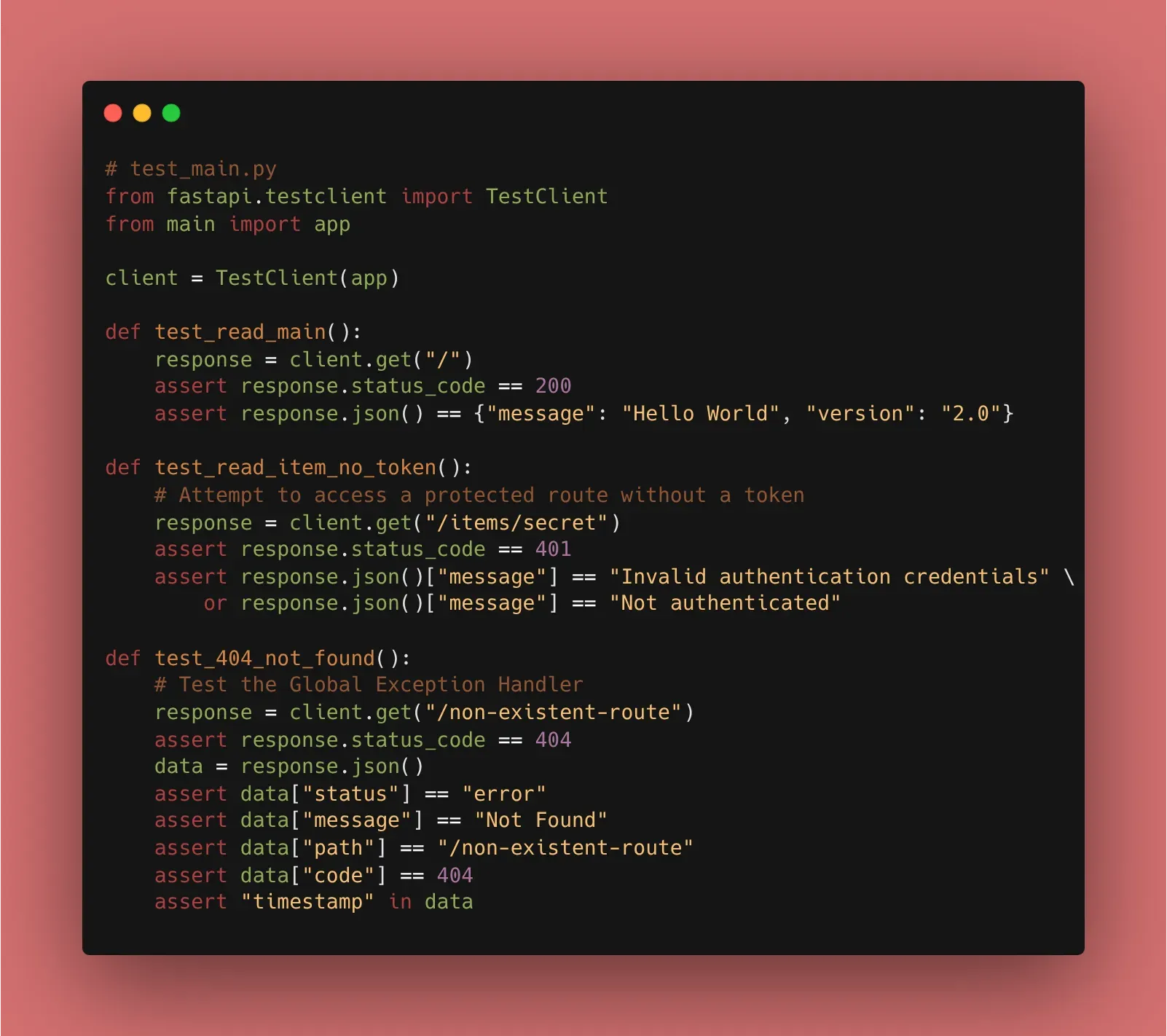
We create a new file called test_main.py. FastAPI’s TestClient allows us to simulate a user visiting our API.
from fastapi.testclient import TestClient
from main import app # Import your FastAPI instance

client = TestClient(app)

def test_read_main():
    # 1. Simulate a GET request
    response = client.get("/")

    # 2. Assert the results
    assert response.status_code == 200
    # Updated to match our API versioning
    assert response.json() == {"message": "Hello World", "version": "2.0"}
3. Testing Protected Routes
Since we implemented OAuth2 and JWT in Phase 4, we need to test how our API handles missing tokens.
def test_read_item_no_token():
    # We use our protected route /items/secret
    response = client.get("/items/secret")
    # We expect a 401 because we haven't logged in in this test!
    assert response.status_code == 401
    # Our custom exception handler returns "message", not "detail"
    assert "Not authenticated" in response.json()["message"] or "Invalid authentication credentials" in response.json()["message"]
4. Why This Matters
- Regression Testing: Every time you run
pytest, you are verifying that your old code still works. - Documentation: Tests serve as an example of how your API is supposed to be used.
- Fast Feedback: You know within seconds if your logic is flawed, rather than waiting for a user to find a bug in production.
🛠️ Implementation Checklist
- Installed
pytestandhttpxusing uv. - Created
test_main.py. - Wrote a test for the root (
/) endpoint. - Wrote a test to verify that the Global Exception Handler (from Day 8) returns the correct JSON format for a 404.
- Ran
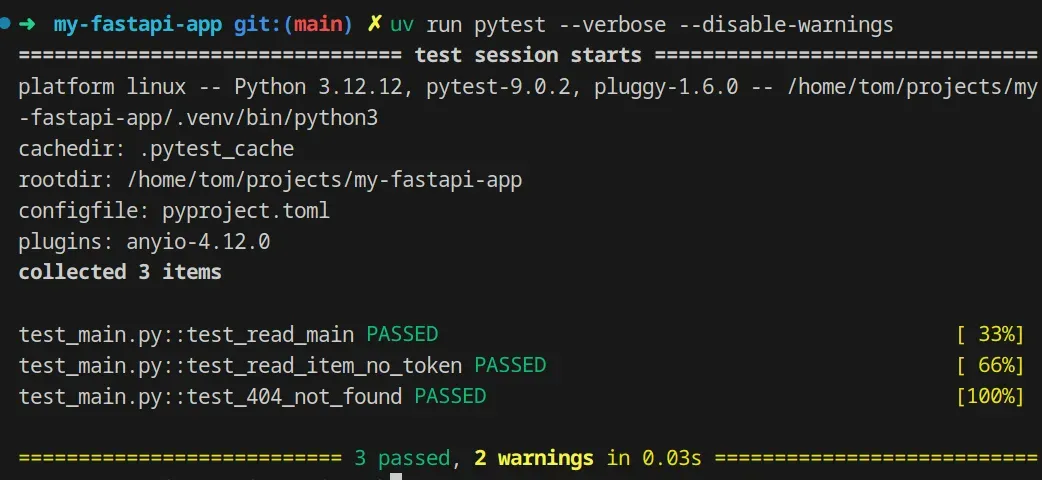
pytestin the terminal and saw the satisfying green dots! ✅
📚 Resources
- Official Docs: FastAPI Testing Tutorial
- Pytest Docs: Getting Started with Pytest
- Book: FastAPI: Modern Python Web Development (Chapter 10: Testing and Debugging).
Day 21 of 30 Days of FastAPI - Testing Your API - Confidence Through Automation
https://beyond400.vercel.app/posts/fastapi-21/