
Categories
Tags
30days AI ai backend blog blogging booking burnout career chatbot cms coding design development devops django docker email express fastapi flight Flight Booking System full stack full-stack gmail GPT-3 interviews journey LinkedIn MERN mongodb NextJS nextjs notion OpenAI openai planning portfolio programming project python react ReactJS search sendgrid smtp software software development tailwind
232 words
1 minutes
Day 16 of 30 Days of FastAPI - Introduction to Security & OAuth2
Today, we are moving into the most critical part of backend development: Security. Today, we integrated the standard OAuth2 “Password Flow.”
1. The OAuth2 Flow
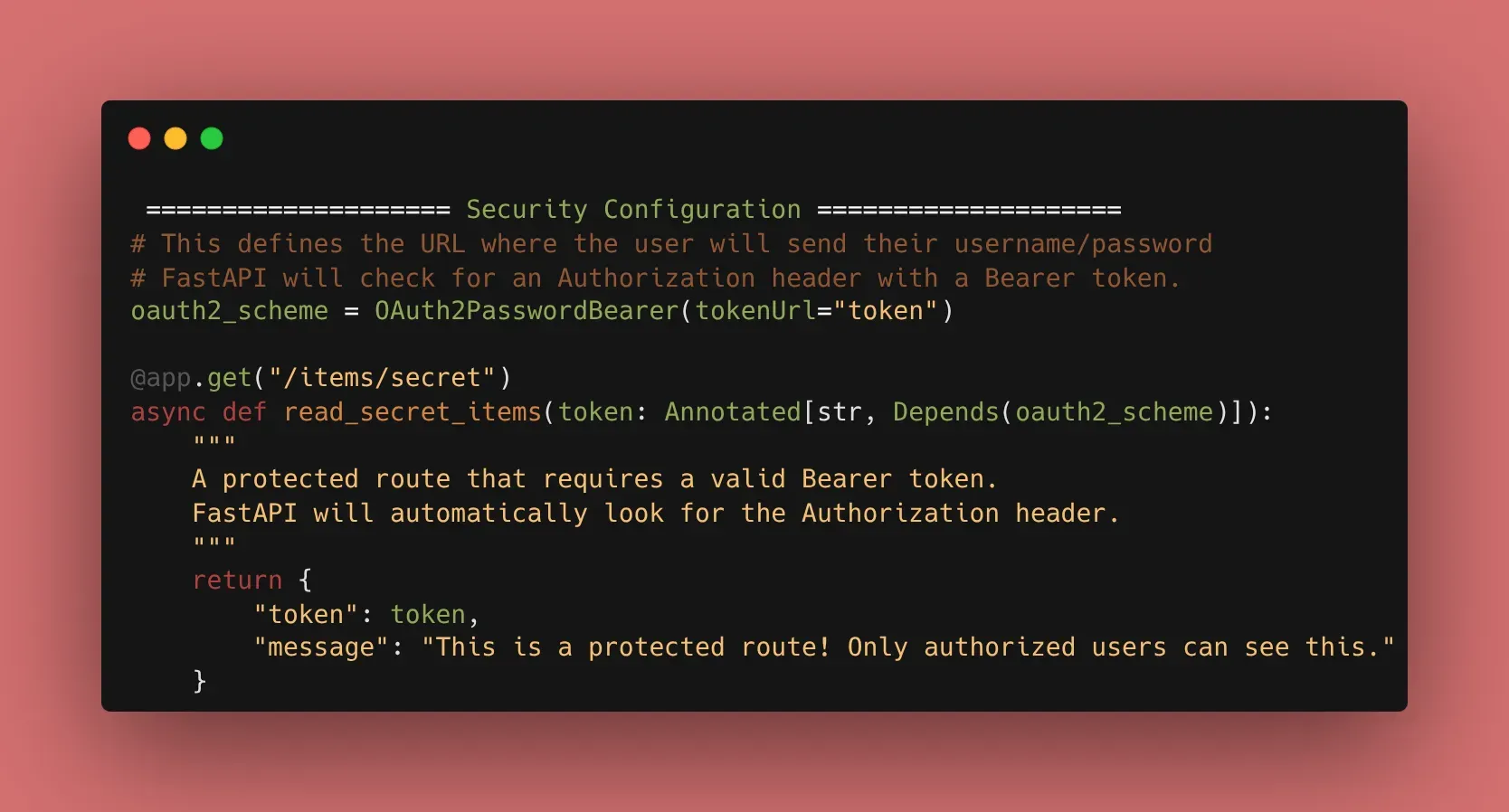
FastAPI is designed around OAuth2. It provides a utility called OAuth2PasswordBearer that looks for an Authorization header in the request. If the header is missing or malformed, it automatically returns a 401 Unauthorized error.
from fastapi import Depends, FastAPI
from fastapi.security import OAuth2PasswordBearer

app = FastAPI()

# This defines the URL where the user will send their username/password
oauth2_scheme = OAuth2PasswordBearer(tokenUrl="token")

@app.get("/items/secret")
async def read_items(token: str = Depends(oauth2_scheme)):
    return {"token": token, "message": "This is a protected route!"}
2. The Swagger UI “Magic”
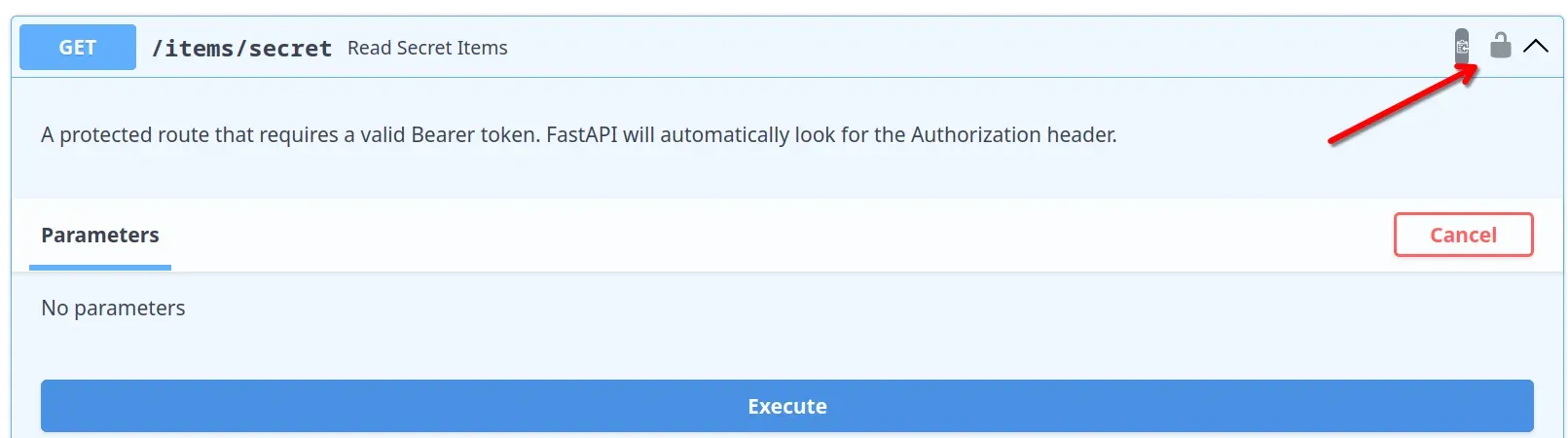
One of the best parts of using FastAPI’s security tools is the documentation. Once you add Depends(oauth2_scheme), the Swagger UI (/docs) adds a “Lock” icon to your endpoints and a global “Authorize” button at the top.
3. Why Not Plain Passwords?
In a real app, we never send passwords with every request. Instead:
- User sends Username/Password once.
- Server validates and returns a Token.
- User sends the Token in the header for all future requests. Today, we set up the “Token” expectation.
🛠️ Implementation Checklist
- Defined the
oauth2_schemeusingOAuth2PasswordBearer. - Protected a “Secret” route using the security dependency.
- Verified that the “Authorize” button appears in Swagger UI.
- Confirmed that the route returns a
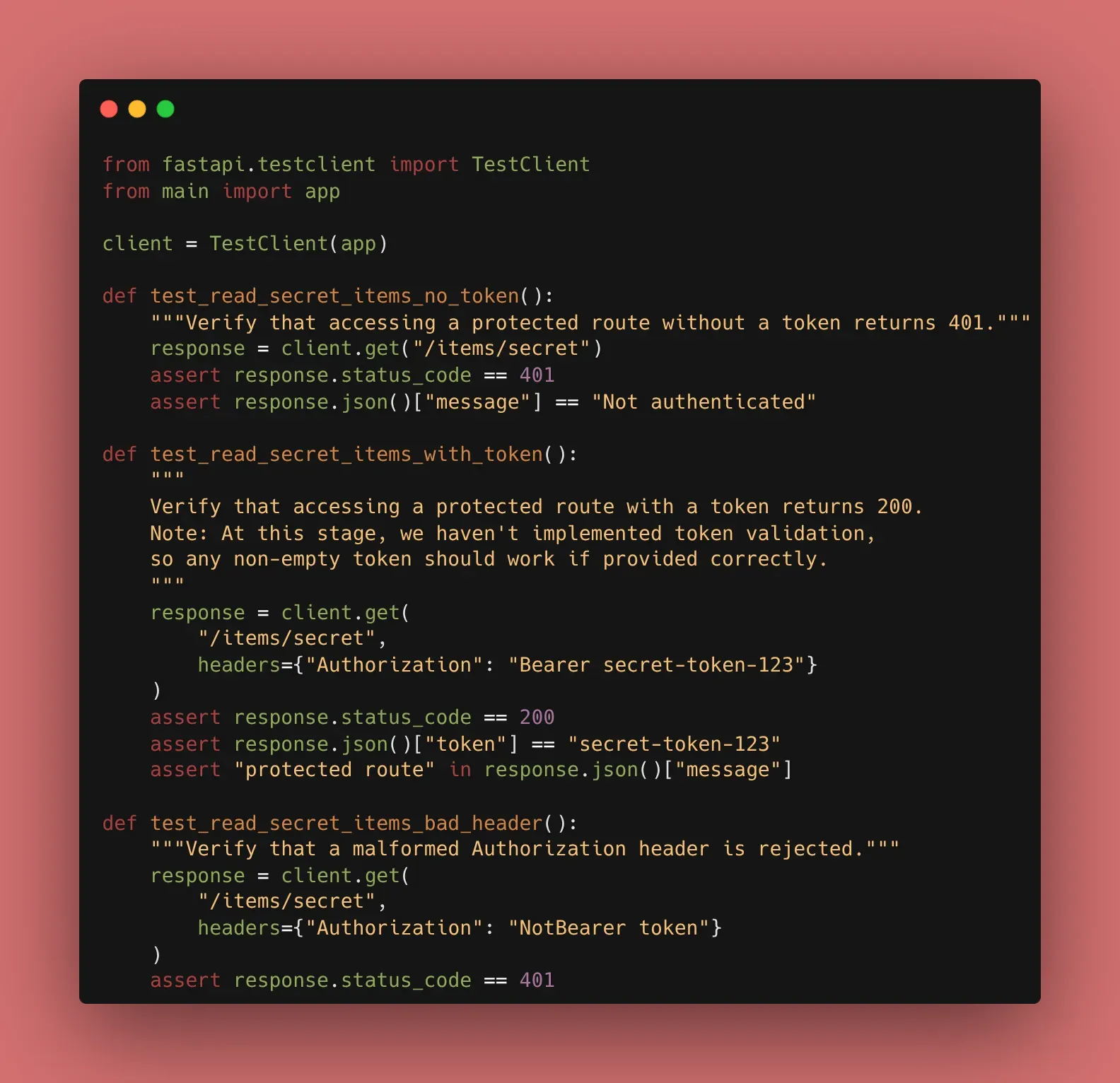
401when no token is provided.
📚 Resources
- Official Docs: FastAPI Security - First Steps
- Book: FastAPI: Modern Python Web Development (Chapter 7: Security and Authentication).
Day 16 of 30 Days of FastAPI - Introduction to Security & OAuth2
https://beyond400.vercel.app/posts/fastapi-16/