

Up until now, our API has been a bit too “polite”—even when an item was missing, it returned a 200 OK status with an “Item not found” message. Today, we fix that by using HTTP Exceptions.
1. Setting the “Success” Code
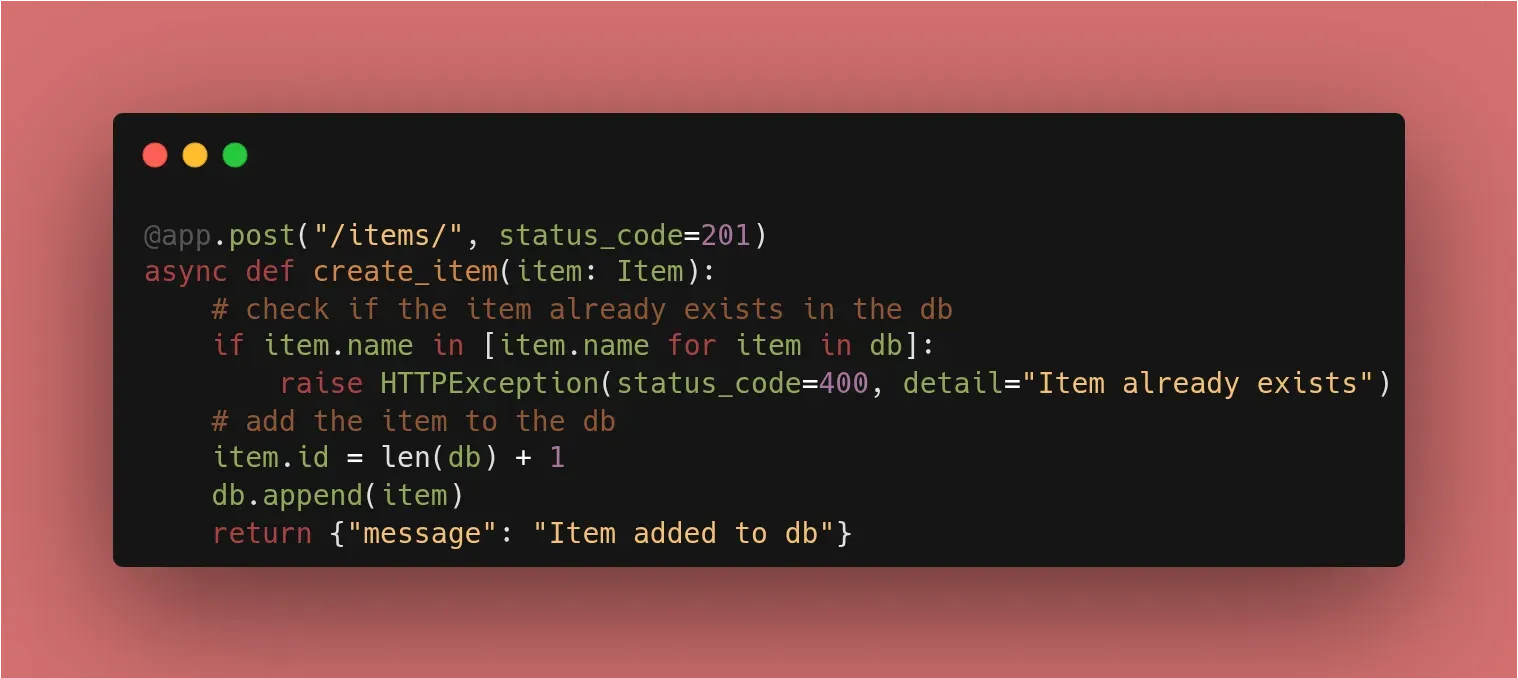
By default, FastAPI returns 200 OK. For a POST request that creates data, the industry standard is 201 Created.
@app.post("/items/", status_code=201)
async def create_item(item: Item):
    # logic here...
    return {"message": "Item added to db"}
2. Raising Proper Errors
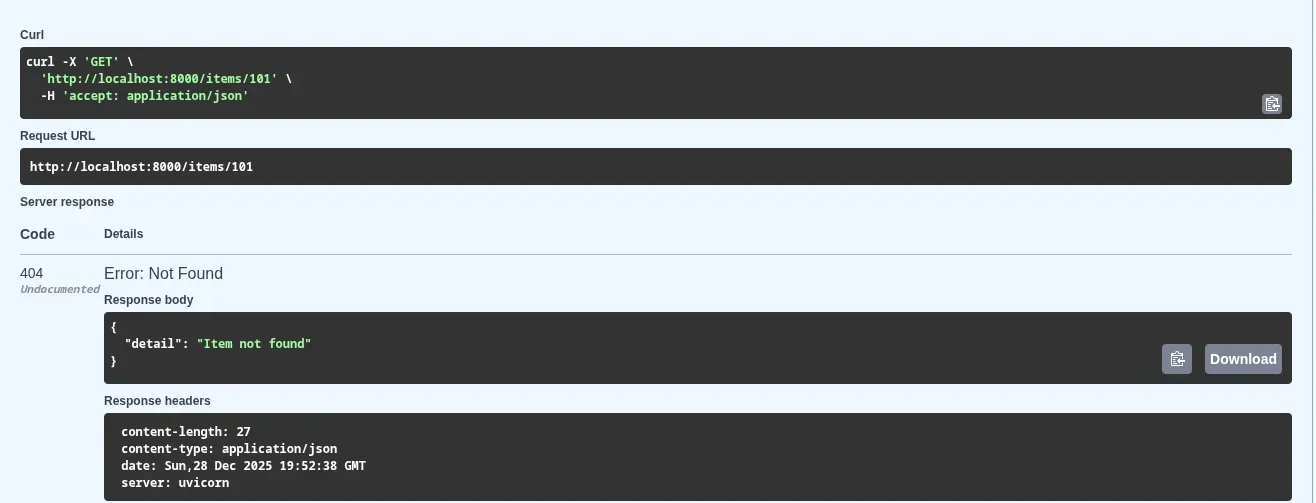
When something goes wrong, we use HTTPException. This is a clean way to “exit” your function and send an error back to the user.
from fastapi import HTTPException

@app.get("/items/{item_id}", response_model=ItemResponse)
async def read_item(item_id: int):
    item = next((item for item in db if item.id == item_id), None)

    if item is None:
        # Instead of returning a message, RAISE an error
        raise HTTPException(status_code=404, detail="Item not found")

    # ... logic continues for found items
3. Why This Matters
- Frontend Integration: A developer can write
if (response.status === 404)instead of searching through text strings. - Security: Proper status codes (like
401 Unauthorizedor403 Forbidden) are essential for building secure systems later in this challenge. - Documentation: Swagger UI automatically lists these potential error codes so users know what to expect.
🛠️ Implementation Checklist
- Updated
@app.postto returnstatus_code=201. - Replaced “Item not found” return logic with
raise HTTPException(status_code=404). - Verified in Swagger UI that the “Response” section now shows the 404 status.
📚 Resources
- Official Docs: FastAPI Handling Errors
- Book: FastAPI: Modern Python Web Development (Chapter 4: Error Handling).
- Video: FreeCodeCamp FastAPI Course (~1h 05m mark) where Beau discusses Status Codes.
More About HTTP Status Codes
Status codes are three-digit numbers issued by a server in response to a client’s request2. They inform the client about the status of the request and are generally classified into five categories3:
| Code | Description |
|---|---|
| 1XX (Informational): | The request was received and the process is continuing. |
| 2XX (Success): | The action was successfully received, understood, and accepted. |
| 3XX (Redirection): | Further action must be taken to complete the request (e.g., the page moved). |
| 4XX (Client Error): | The request contains bad syntax or cannot be fulfilled (e.g., a resource is missing). |
| 5XX (Server Error): | The server failed to fulfill an apparently valid request. |
Common Codes in FastAPI
While 200 OK is the default for most operations in FastAPI, you will frequently use others to follow best practices:
| Code | Description |
|---|---|
| 201 Created: | Typically used after a successful POST request that results in a new resource being created. |
| 204 No Content: | Used when a request is successful, but there is no data to return (common for DELETE operations). |
| 401 Unauthorized: | Technically refers to a lack of valid authentication (the server doesn’t know who you are). |
| 404 Not Found: | The most common error, used when a specific resource (like a user ID or item) does not exist in the database. |
| 422 Unprocessable Entity: | This is often triggered automatically by Pydantic when the data sent in the request body does not match the expected model. |
🌟 Week 1 Complete!
From “Hello World” to a validated, documented, and error-aware API with a mock database.