

After 2 days of Christmas holidays, we are back to our 30 Days of FastAPI series. Today’s focus was on Data Transformation. In professional APIs, we use “Schemas” or “Data Transfer Objects” (DTOs) to control exactly what data leaves our server.
🏗️ The Core Idea: Three Models
The heart of today’s work was defining three distinct Pydantic models to handle different stages of the data lifecycle.
1. The Database Model (Internal)
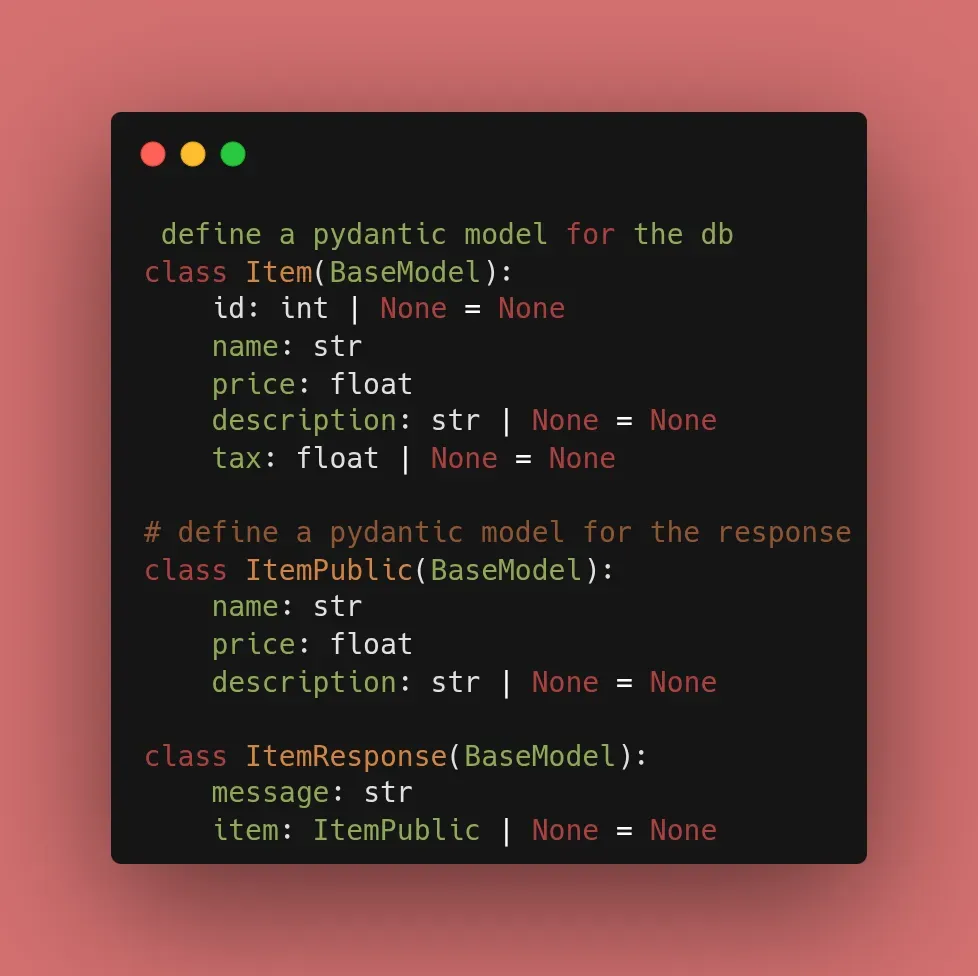
This is what we store. It includes the tax field, which we use for internal calculations but don’t want to expose directly.
class Item(BaseModel):
    id: int | None = None
    name: str
    price: float
    description: str | None = None
    tax: float | None = None
2. The Public Data Model (Filtered)
This is the “shape” of the item the user sees. Notice the tax field is gone.
class ItemPublic(BaseModel):
    name: str
    price: float  # We will put the tax-inclusive price here
    description: str | None = None
3. The Response Envelope (Standardized)
This ensures every successful or failed request returns a predictable JSON structure.
class ItemResponse(BaseModel):
    message: str
    item: ItemPublic | None = None
🛠️ Implementation: The Transformation Logic
When we fetch an item, we manually map the data from our internal Item to our ItemPublic model. FastAPI then wraps it in the ItemResponse.
@app.get("/items/{item_id}", response_model=ItemResponse)
async def read_item(item_id: int = Path(..., gt=0)):
    # 1. Fetch from 'db' (Internal Item model)
    item = next((item for item in db if item.id == item_id), None)

    if item is None:
        return ItemResponse(message="Item not found")

    # 2. Logic: Calculate tax-inclusive price
    tax_rate = getattr(item, 'tax', 0) or 0
    price_with_tax = item.price * (1 + tax_rate)

    # 3. Transform & Return
    return ItemResponse(
        message="Item found",
        item=ItemPublic(
            name=item.name,
            price=price_with_tax,
            description=item.description
        )
    )
🏁 Reflection
By explicitly defining these models, I’ve created a documented contract. Anyone looking at my Swagger UI (/docs) can see exactly what ItemResponse looks like, making the API much easier to consume.

📚 Resources
- Documentation: FastAPI Response Model Tutorial
- Book: FastAPI: Modern Python Web Development (Chapter 4: Response Models).