

Today was about making the API functional. Instead of just echoing back what the user sends, I implemented a system to store, validate, and process data using Pydantic and a local JSON file.
1. The Pydantic Schema
I defined a schema that mirrors a real database record. By allowing id to be None, I can receive an item from a user (who won’t know the ID yet) and assign it one later in the code.
class Item(BaseModel):
    id: int | None = None
    name: str
    price: float
    description: str | None = None
    tax: float | None = None
2. Mocking the Database
I used a db.json file to store my data. To make it work seamlessly with FastAPI, I converted the raw JSON into a list of Pydantic models upon startup:
with open("db.json") as f:
    db = json.load(f)
db = [Item(**item) for item in db]
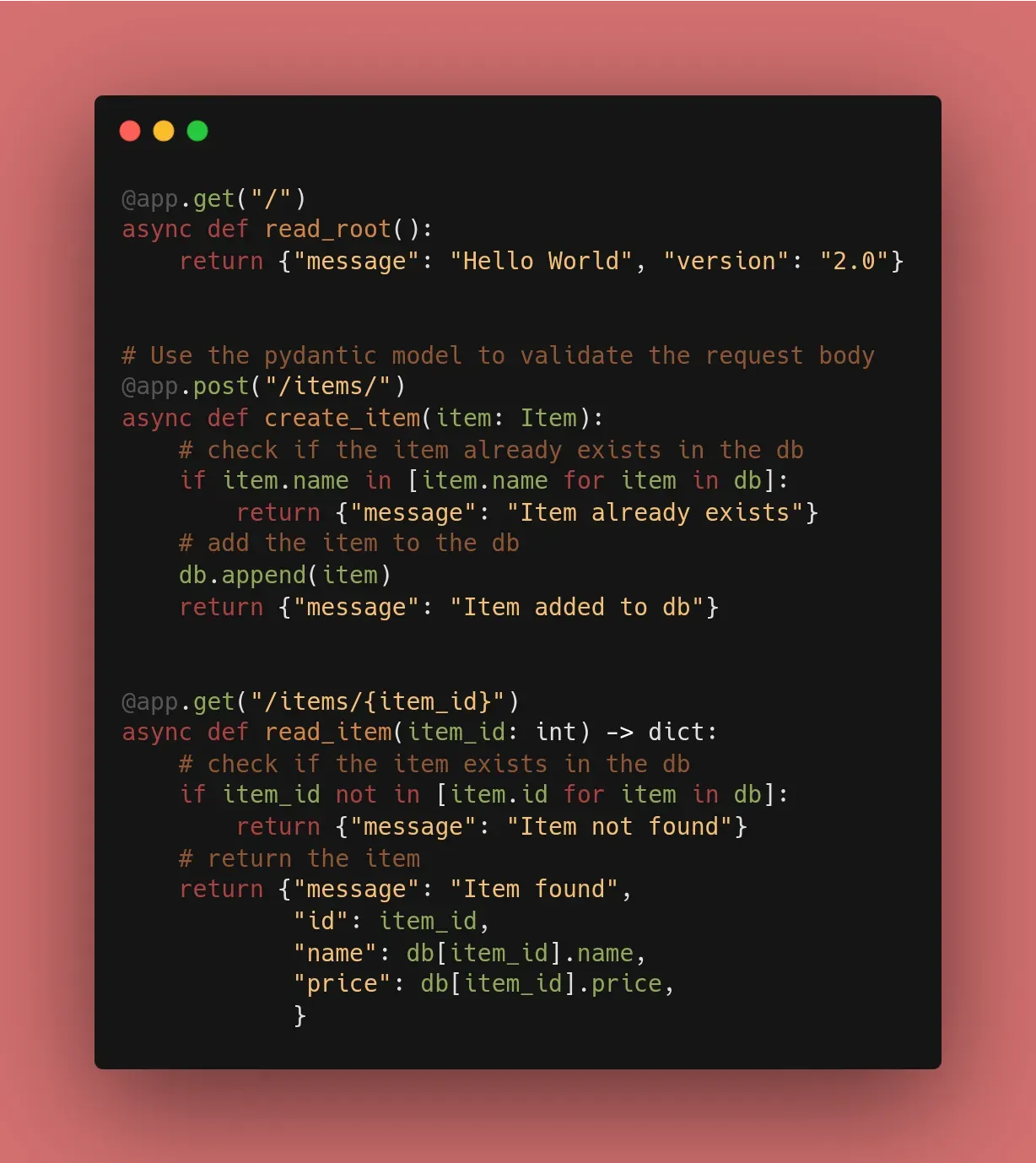
3. Adding Logic to POST & GET
I didn’t just create endpoints; I added Business Logic:
- Validation: In
@app.post, I check the “database” list to see if the item name already exists to prevent duplicates. - Calculation: In
@app.get, I dynamically calculate the price inclusive of tax based on the stored tax rate.
🛠️ Implementation & Testing
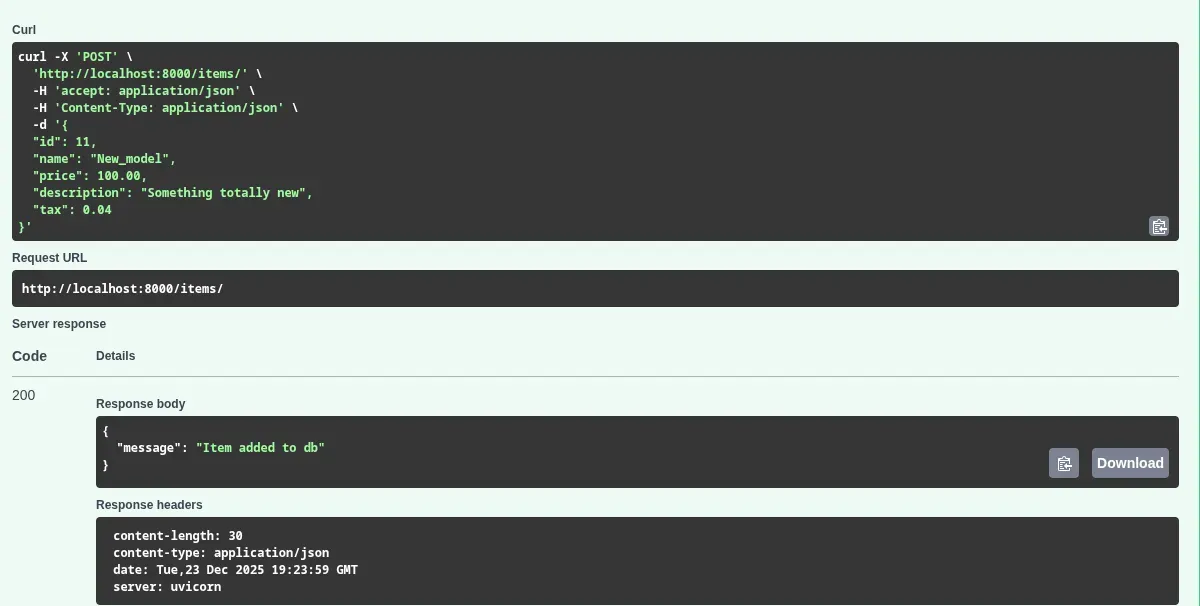
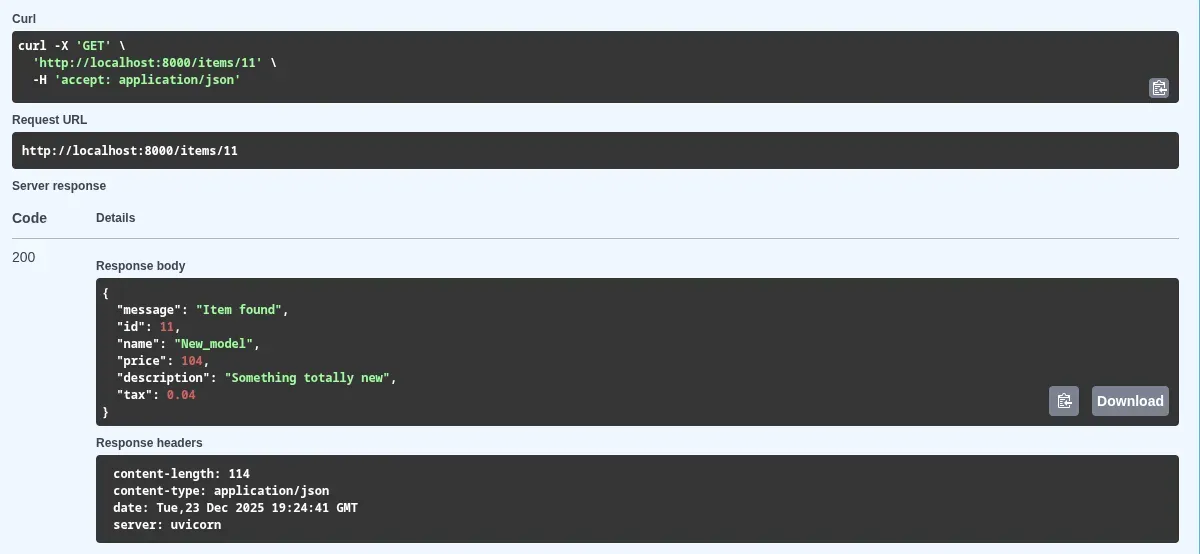
I used the Swagger UI (/docs) to test the following:
- Sending a
POSTrequest to add a new item. - Trying to
POSTthe same item again (checking for the “Item already exists” message). - Performing a
GETon a specific ID to see the tax calculation in action.
📚 Resources
- Documentation: FastAPI Request Body Tutorial
- Course: FastAPI – FreeCodeCamp
- Book: FastAPI: Modern Python Web Development (Chapter 4).
A bit more about Request Bodies — Data Validation with Pydantic
HTTP Request Body is used when we need to send data that is too complex for a URL, typically during POST, PUT, or PATCH operations.
1. Defining the Schema with Pydantic
FastAPI uses Pydantic for data validation. We define what our data “should” look like by creating a class that inherits from BaseModel.
from fastapi import FastAPI
from pydantic import BaseModel

class Item(BaseModel):
    name: str
    description: str | None = None
    price: float
    tax: float | None = None

app = FastAPI()

@app.post("/items/")
async def create_item(item: Item):
    return item
2. What happens under the hood?
When a request hits this endpoint:
- Read: FastAPI reads the body as JSON.
- Convert: It converts JSON types to Python types (e.g.,
float,int,str). - Validate: It checks if all required fields are present and correctly typed.
- Objectify: It gives you a Python object (
item) that you can use with dot notation (likeitem.price).
3. Testing with Swagger UI
This is where the /docs page really shines. FastAPI automatically generates a JSON Schema for your model. In the Swagger UI, you can click “Try it out,” and it provides a pre-filled JSON template for you to edit and send.
🛠️ Implementation Checklist
- Defined a
BaseModelfor a resource. - Created a
@app.postendpoint. - Triggered a validation error (422) by sending bad data on purpose.
- Confirmed that optional fields (with
= None) work correctly.