

In a REST API, resources are usually identified by their location in the URL path. Today, I explored how FastAPI handles these Path Parameters and how it uses Python type hints to perform “magic” under the hood.
1. The Basic Dynamic Route
To capture a value from the URL, we use curly braces {} in the decorator and pass the same name as an argument to our function.
from fastapi import FastAPI

app = FastAPI()

@app.get("/items/{item_id}")
async def read_item(item_id: int):
    return {"item_id": item_id, "message": f"Fetching item {item_id}"}
2. Automatic Data Conversion
This is one of my favorite features so far. Even though URLs are strings, FastAPI looks at my type hint (item_id: int) and:
- Parses the string “5” into the Python integer
5. - Validates the data. If I visit
/items/foo, FastAPI catches the error before the function even runs.
3. Advanced Validation with the Path Class
Sometimes, a type hint isn’t enough. What if an ID cannot be negative? I learned to use the Path class from fastapi to add metadata and numeric constraints.
from fastapi import FastAPI, Path

app = FastAPI()

@app.get("/items/{item_id}")
async def read_item(
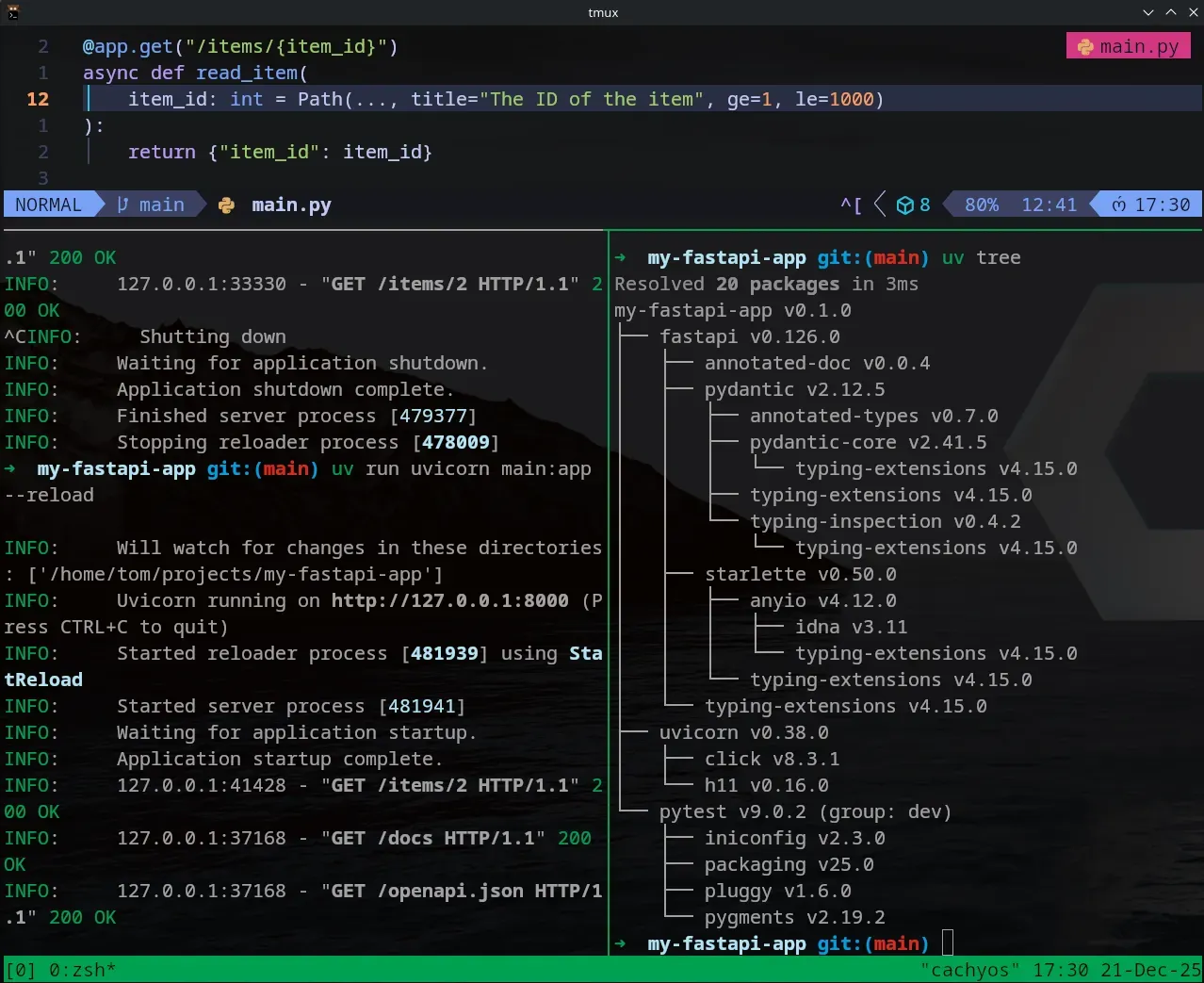
    item_id: int = Path(..., title="The ID of the item", ge=1, le=1000)
):
    return {"item_id": item_id}
ge=1: Greater than or equal to 1.le=1000: Less than or equal to 1000.
🛠️ Working with uv
To keep my environment clean, I didn’t need to install anything new today, but I used uv tree to inspect how Pydantic (the validation engine) is integrated into FastAPI.
🔍 Swagger UI Check
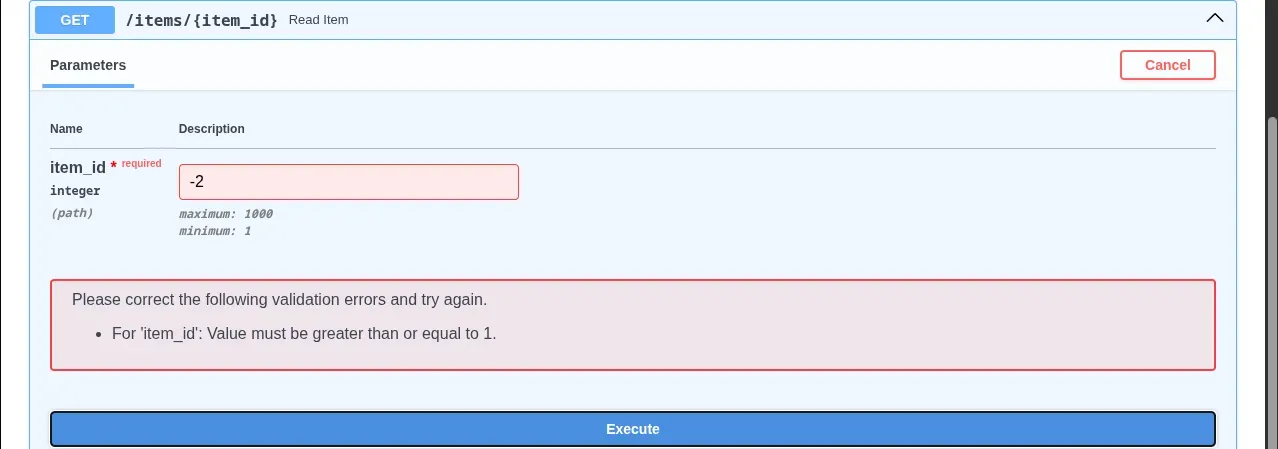
Visiting http://127.0.0.1:8000/docs now shows a “Required” field for item_id. It even lists the “Minimum 1” constraint I added!
📚 Resources
- Course: FastAPI helps you develop APIs quickly
- Book: FastAPI: Modern Python Web Development by Bill Lubanovic (O’Reilly).
FastAPI Path Parameters & Numeric Validation
This video walks through exactly what you’ve learned today, showing the real-time feedback you get in the terminal and Swagger UI when path constraints are met or failed.